How to Remove Oil and Fingerprints From Smart Glasses
Reviewed
Direct Answer
Identify your model and whether the mark is on a lens, frame, or another area, then use the current manufacturer instructions for that surface. Even Realities gives a specific moistened-microfiber instruction for greasy contamination on G1; other guidance should not be treated as a universal oil-removal recipe.
Conceptual overview
A map of care zones
These broad areas help frame a care question. The diagram is conceptual; hardware layout and manufacturer guidance vary by model.
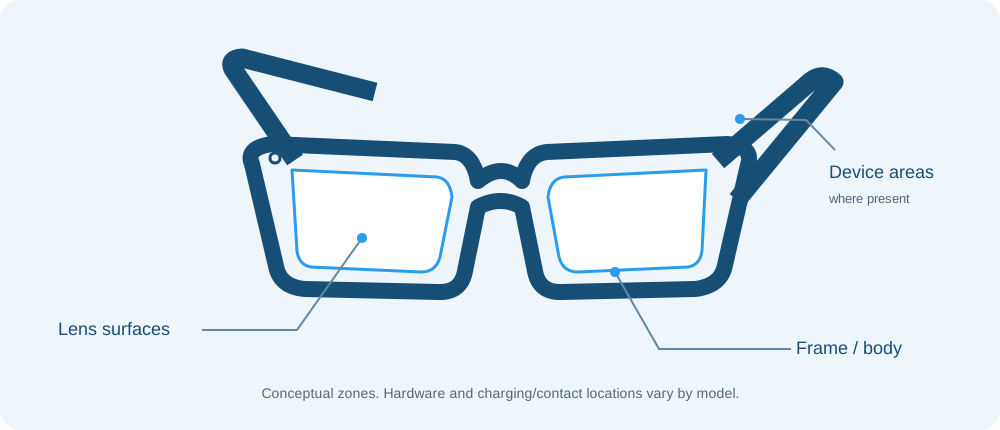
- Lens surfacesCheck the directions for the optical surface.
- Frame / bodyLens directions do not establish frame-care directions.
- Device areas, where presentCharging/contact layout and care vary by model.
Identify the model and the marked surface
A visible fingerprint or smear does not by itself identify what caused it or what material is involved. First identify the glasses’ manufacturer, model, and generation. Then check whether the mark is on a lens, frame, or another area: manufacturers can give different directions for different surfaces.
Use the method the manufacturer names
Even Realities’ current G1 guidance specifically suggests a moistened microfiber cloth for greasy contamination. It also says to apply spray to the cloth rather than directly to the glasses, and it does not permit running-water washing, immersion, or ultrasonic cleaning. These directions are specific to G1; they do not prove that a particular cloth or cleaner is suitable for another device. Read Even’s cleaning and storage guidance for its complete instructions.
Other manufacturers publish different general care instructions. Ray-Ban Meta guidance describes dampened-cloth and mild-soap care and warns against solvents and alcohol. Oakley’s HSTN materials give their own dampened-cloth guidance and charging precautions. Amazon’s cleaning article specifies alcohol-free lens cleaner with a soft cloth for lenses, and says not to spray mounted lenses directly. These instructions address named products and surfaces; they do not establish performance for oil or fingerprints across devices. Check the current Ray-Ban FAQ, Oakley FAQ and HSTN safety guide, and Amazon cleaning article for the exact model you own.
Avoid escalating based on a persistent mark
The reviewed manufacturer guidance does not establish that every fingerprint has the same cause, that one technique removes every oily mark, or that a stronger solvent, additional liquid, or extra pressure is appropriate. It also does not establish that a wipe is compatible with every lens or frame.
If the mark remains, check the manufacturer’s troubleshooting information or contact its support service. Do not treat a persistent smear as proof of coating damage or use the narrow ink-removal exception in Amazon’s article as ordinary cleaning advice.
Sources
- Ray-Ban Meta FAQsRay-Ban · manufacturerReviewed
- Oakley Meta AI Glasses FAQOakley · manufacturerReviewed
- Oakley Meta AI Glasses Safety & Warranty GuideOakley · manufacturerReviewed
- Cleaning Echo Frames (2nd Gen) and Smart Glasses with Alexa (3rd Gen)Amazon · manufacturerReviewed
- Cleaning & storage recommendationEven Realities · manufacturerReviewed